Create a Market
This tutorial guides you through the process of creating and configuring a market in your Morpho vault. A market can be created either through the Curator App or directly through the Morpho contract via a block explorer such as Etherscan.
Deploying a market via the Curator App
This is the recommended option, especially for new curators: the Curator App guides you through the market parameters in a single form, so it is faster and less error-prone than encoding a contract call by hand.
Connect the wallet you want to use, open the market creation section, select the chain, and fill in the market parameters: loanToken, collateralToken, oracle, and lltv. The irm defaults to the Adaptive Curve IRM.
The app displays the resulting market id once the full creation flow is complete. This includes market deployment, mandatory dead-deposit seeding, and any selected initial position.
The market creation flow also includes:
- the mandatory dead deposit
- an optional initial position (supply, deposit collateral and borrow) to set a target utilization rate
Learn more about Morpho Blue markets and their structure.
Deploying a market via Etherscan
Jump on the Morpho contract
See the address section.
E.g: Ethereum mainnet address is 0xbbbbbbbbbb9cc5e90e3b3af64bdaf62c37eeffcb
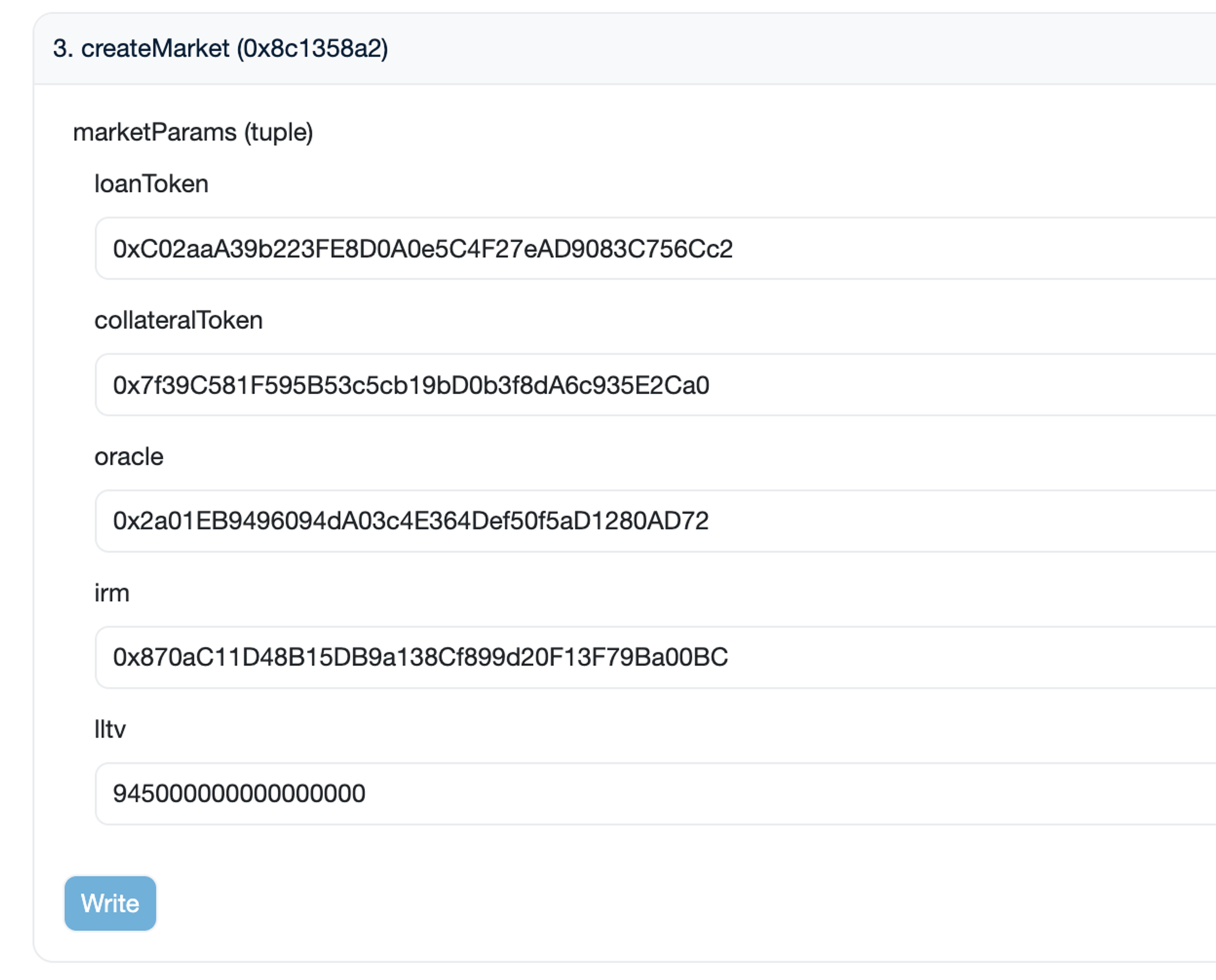
Fill all attributes
Jump on the createMarket function
loanToken: paste the address of the loan token,collateralToken: paste the address of the collateral token,oracle: paste the oracle address,irm: paste the Interest Rate Model address,lltv: the LLTV is defined with 18 decimals. 1e18 represents an LLTV of 100% (which is not enabled) and 945000000000000000 thus represents 94.5%.
Sign the transaction
You are done.
Idle markets
Idle markets on Morpho are markets where assets can not be borrowed. This liquidity earns no yield from borrowers but can be used as an immediately available buffer for withdrawals. Idle markets are used by curators in liquidity curation for Morpho Vaults V1.
To create an idle market, one has to reproduce the same steps than for an any market, except that the only variable field is the loanToken one, all other fields are using the 0 address or 0.
Here is an example from the USDC idle market on Ethereum (0x54efdee08e272e929034a8f26f7ca34b1ebe364b275391169b28c6d7db24dbc8):
loanToken: 0xA0b86991c6218b36c1d19D4a2e9Eb0cE3606eB48collateralToken: 0x0000000000000000000000000000000000000000oracle: 0x0000000000000000000000000000000000000000irm: 0x0000000000000000000000000000000000000000lltv: 0
Before creating an idle market for a specific asset on a specific chain, make sure the market does not exist already (see Market ID Generator below).
Important Note
Market Id Retrieval
When creating a market, a CreateMarket event is emitted with the market id:
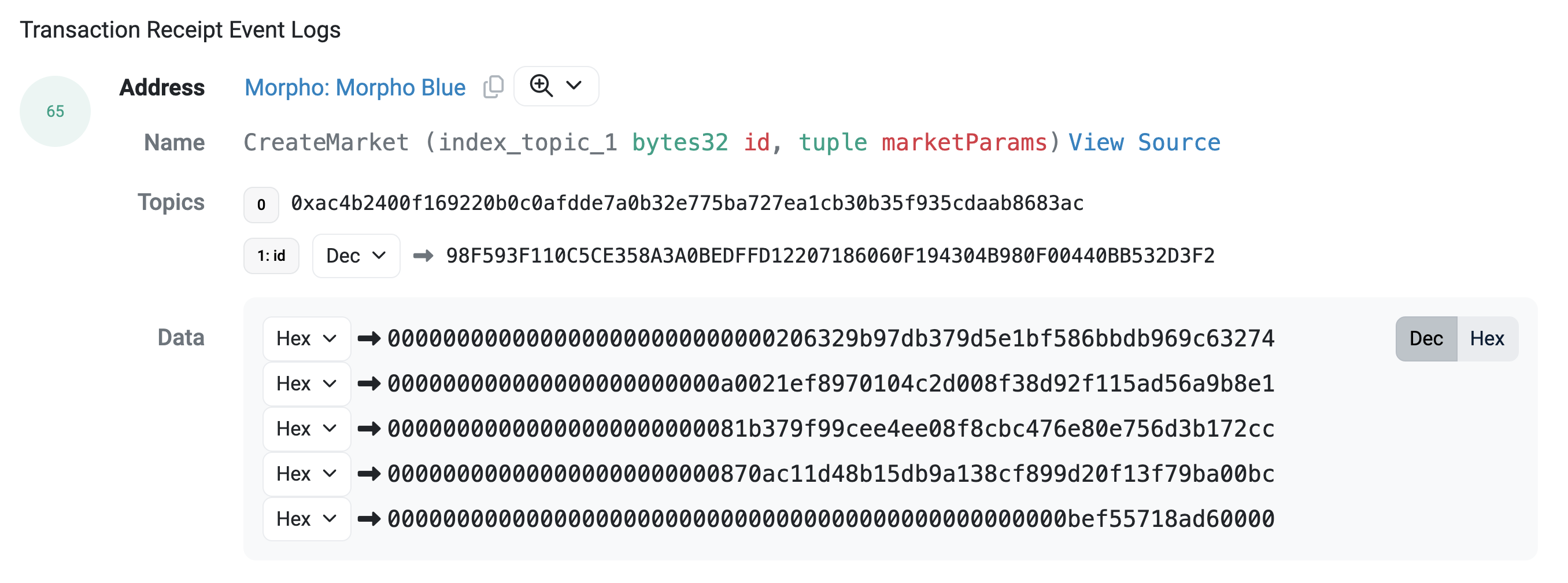
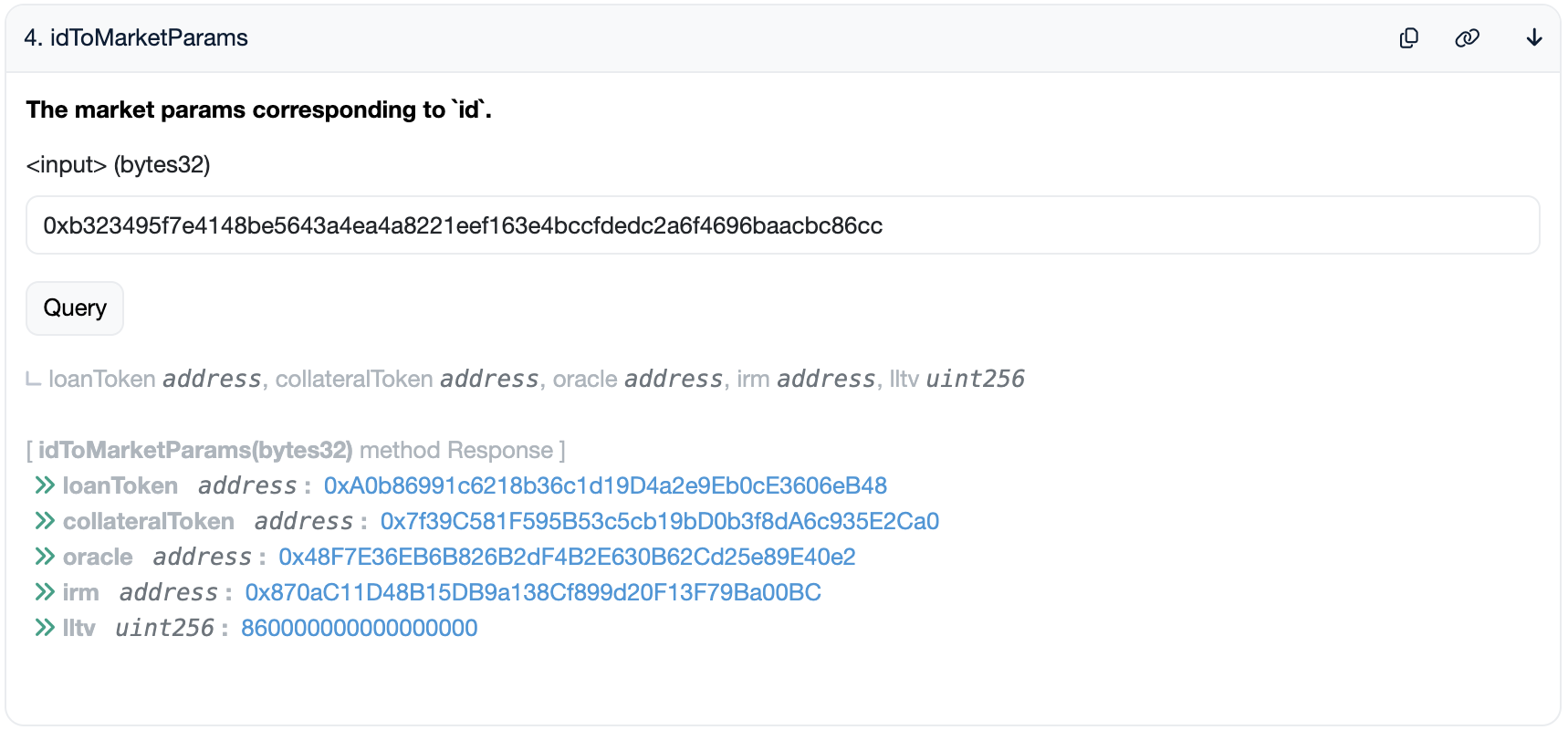
To retrieve the market parameters from this id:
Paste the id into the input field and execute
Example: Using the id: 0xb323495f7e4148be5643a4ea4a8221eef163e4bccfdedc2a6f4696baacbc86cc
Resource: Market ID Generator
Use this tool to generate the unique market ID from your market parameters: