

Abdicate Gates
This guide explains why and how curators can abdicate the three critical gates to help ensure users retain access to their assets, preserving the vault's non-custodial properties.
Why Abdicate Gates?
Morpho Vault V2 implements four gates that control access to vault operations. Three of these gates are critical because they can potentially block users from accessing their assets:
| Gate | Risk | Why It's Critical |
|---|---|---|
| Receive Shares Gate | Can prevent users from receiving shares during deposits | Users could deposit assets but not receive shares |
| Send Shares Gate | Can lock users out of withdrawals and transfers | Users cannot exit the vault |
| Receive Assets Gate | Can prevent users from receiving assets on withdrawal | Users can burn shares but not receive their assets |
The fourth gate (Send Assets Gate) is non-critical because it only restricts who can deposit-it cannot block existing users from withdrawing.
Non-Custodial Guarantee
By abdicating the three critical gates to address(0), a curator permanently guarantees that:
- No access restrictions can ever be imposed on withdrawals
- Users can always exit the vault and receive their assets
- The vault remains truly non-custodial
This is an irreversible action that provides depositors with the strongest possible assurance.
Prerequisites
Before abdicating, ensure:
- All three critical gates are set to
address(0)(no gate configured) - You are connected with the Curator wallet
- You understand this action is permanent and irreversible
Tutorial: Abdicate Gates on the Curator App V2
Head to the Curator App V2
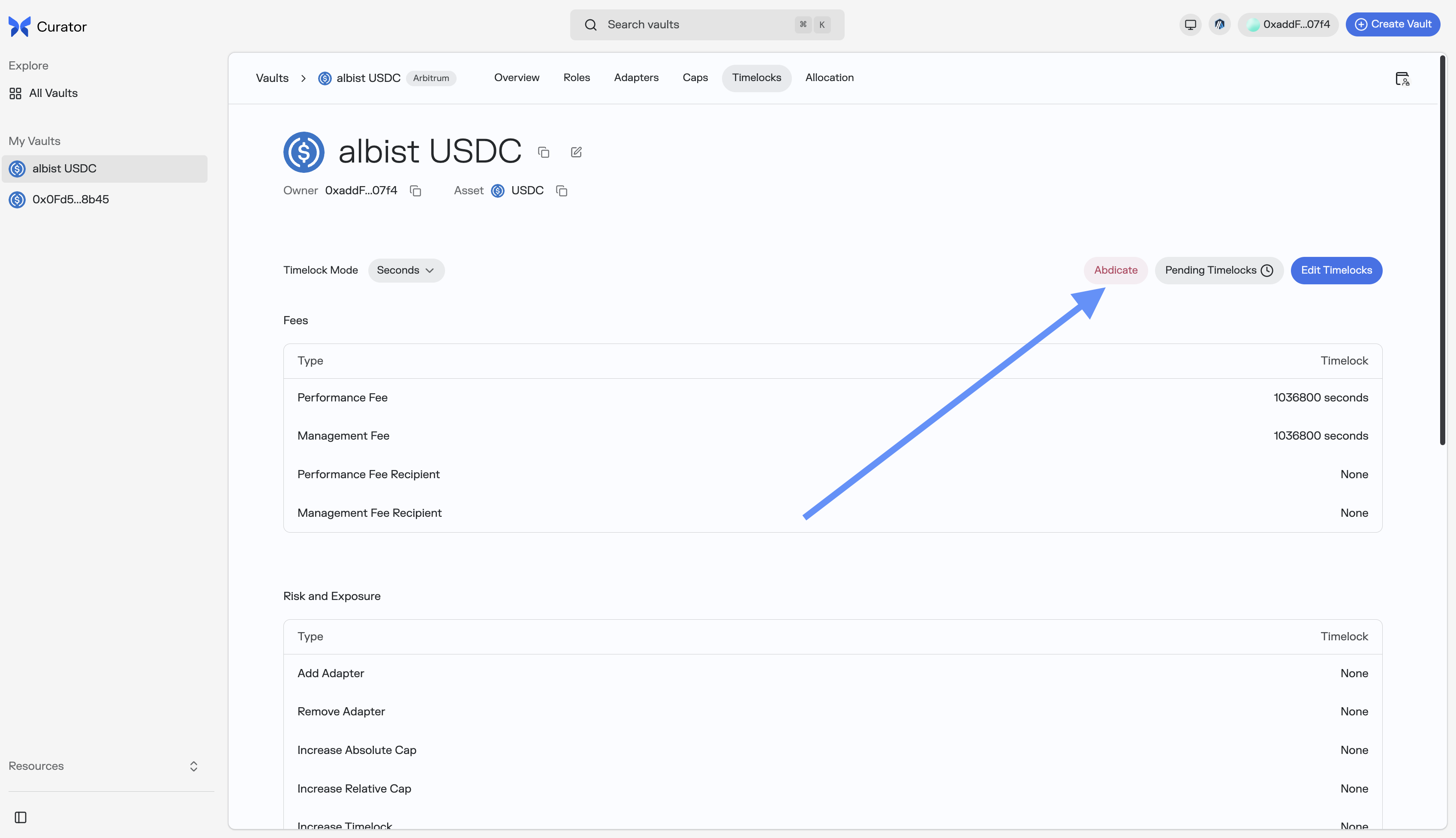
On your Morpho Vault V2 page, head to the Timelocks tab and click on the Abdicate button.
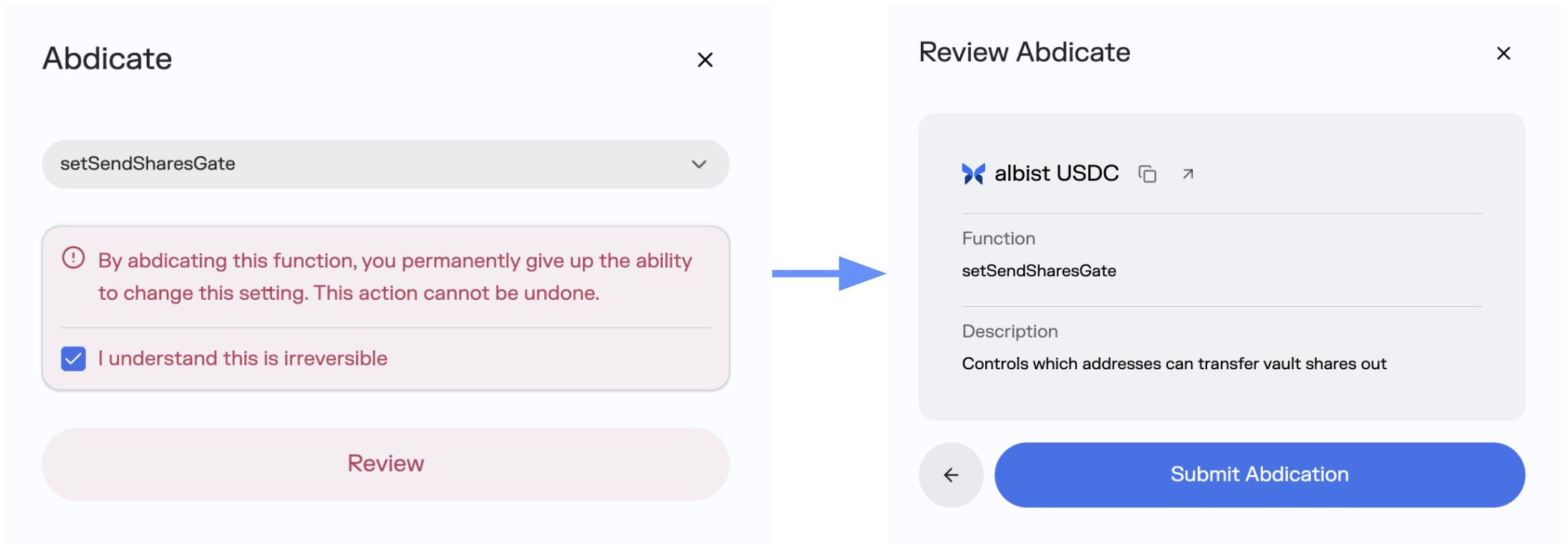
You can select the gate you want to abdicate and submit the abdication.
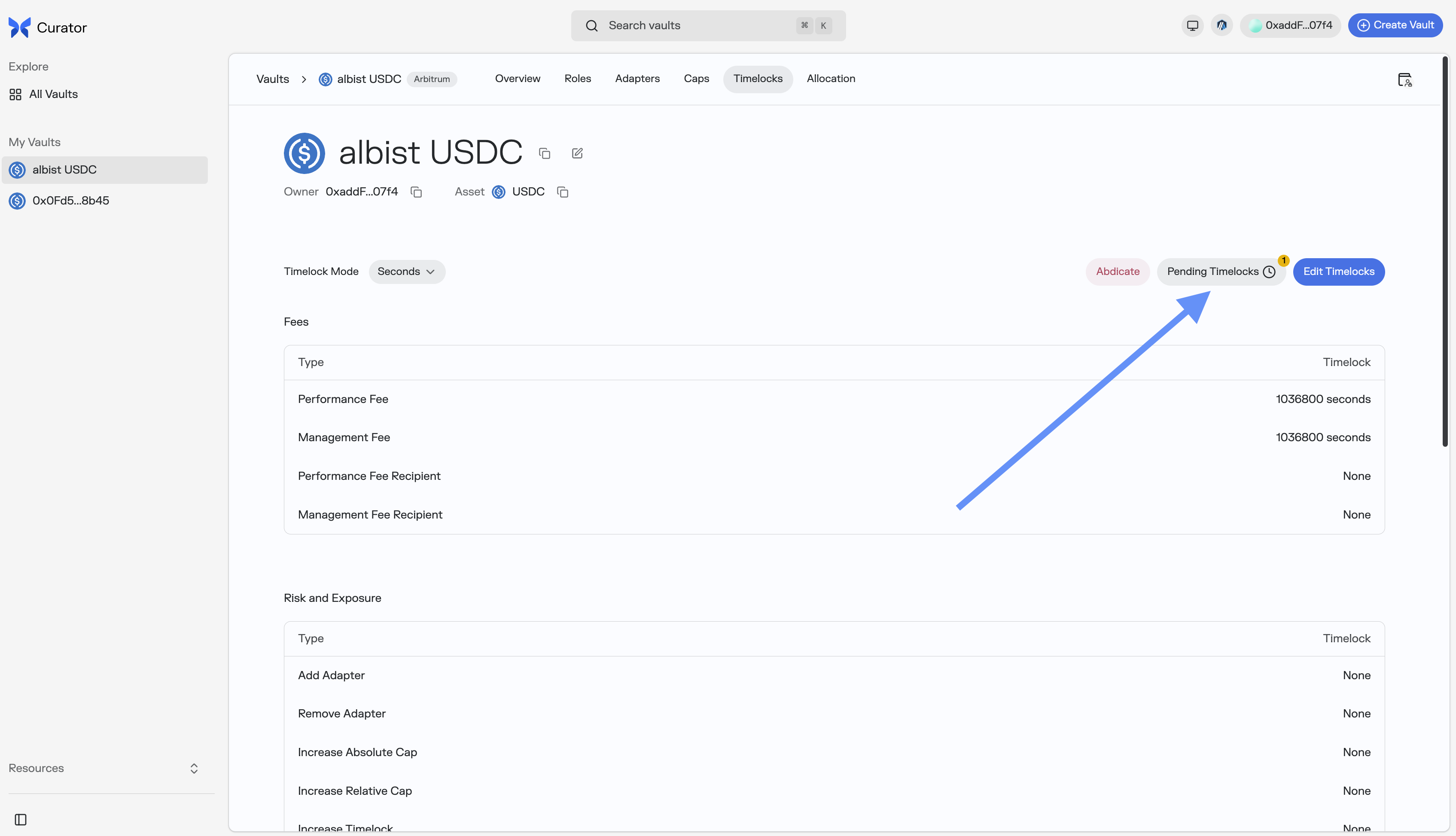
Once the abdication is submitted, it will appear in the Pending Timelocks, click there and accept the abdication once the timelock has passed.
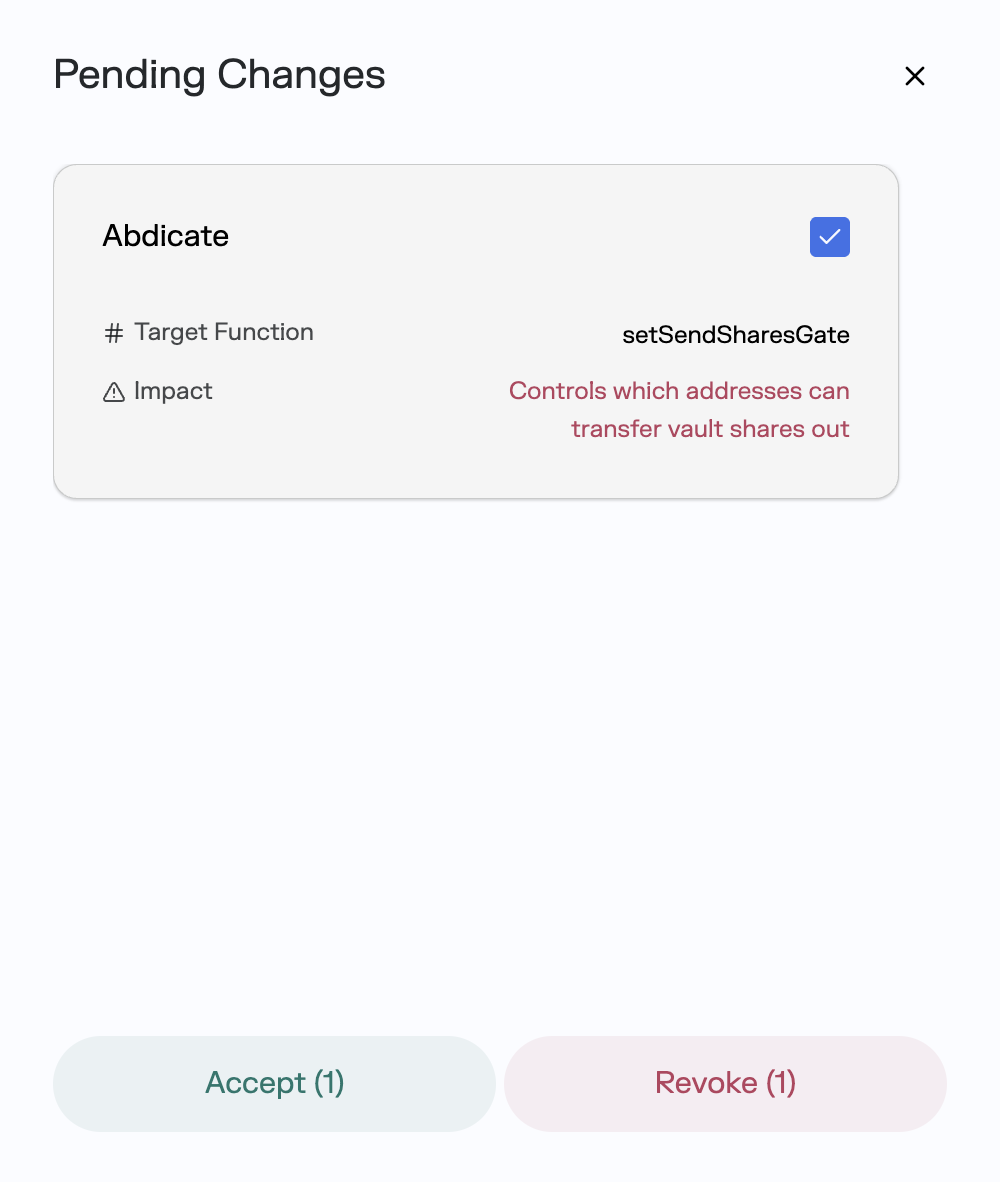
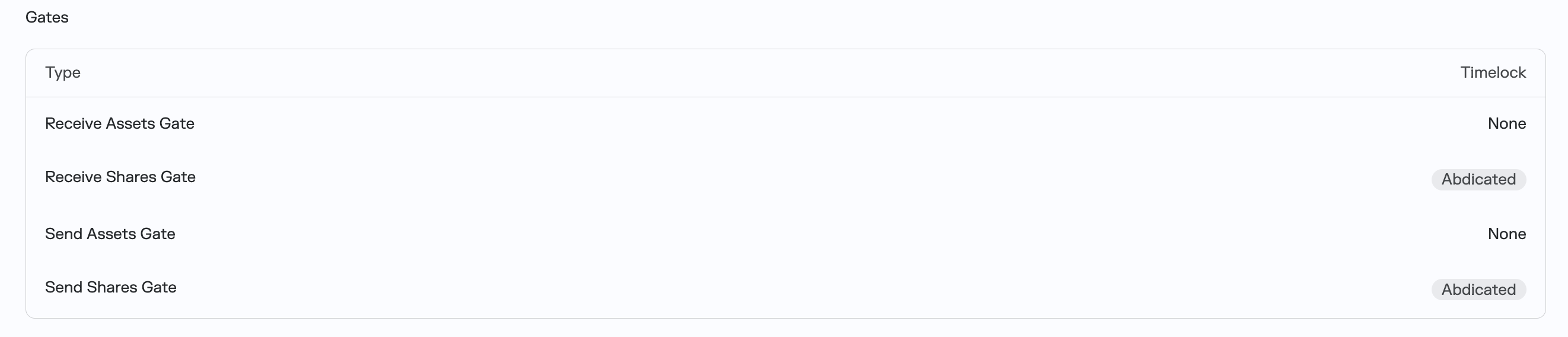
You can then check the gate function has been abdicated in the Gates table of the Timelocks page.
Tutorial: Abdicate Gates via Etherscan
Abdication follows a two-step timelocked process: first submit, wait for the timelock, then execute.
Step 1: Verify Current Gate Settings
- Go to your vault's contract on Etherscan
- Navigate to Read Contract
- Check the following functions return
0x0000000000000000000000000000000000000000:receiveSharesGate()sendSharesGate()receiveAssetsGate()
If any gate is not address(0), you must first set it to zero using the corresponding setter function (also timelocked).
Step 2: Submit Abdication
Navigate to Write Contract and connect your Curator wallet.
For each gate you want to abdicate, call the submit function with the encoded abdicate call data:
| Gate to Abdicate | Data to Submit |
|---|---|
| Receive Shares Gate | 0xb2e328482cb19f9800000000000000000000000000000000000000000000000000000000 |
| Send Shares Gate | 0xb2e32848c21ad02800000000000000000000000000000000000000000000000000000000 |
| Receive Assets Gate | 0xb2e3284804dbf0ce00000000000000000000000000000000000000000000000000000000 |
- Find the
submitfunction - Enter the data from the table above
- Click Write and confirm the transaction
- Repeat for each gate
Step 3: Wait for Timelock
After submitting, you must wait for the vault's timelock period to elapse before executing.
To check the timelock duration, call timelock(bytes4 selector) with the abdicate selector: 0xb2e32848.
Step 4: Execute Abdication
Once the timelock has passed, execute each abdication:
- Find the
abdicatefunction - Enter the gate setter selector:
- Receive Shares Gate:
0x2cb19f98 - Send Shares Gate:
0xc21ad028 - Receive Assets Gate:
0x04dbf0ce
- Receive Shares Gate:
- Click Write and confirm the transaction
Function Selector Reference
| Gate Setter Function | Selector |
|---|---|
setReceiveSharesGate(address) | 0x2cb19f98 |
setSendSharesGate(address) | 0xc21ad028 |
setReceiveAssetsGate(address) | 0x04dbf0ce |
setSendAssetsGate(address) | 0x871c979c |
Step 5: Verify Abdication
After all transactions confirm, verify the abdication was successful:
- Go to Read Contract
- Call
abdicated(bytes4 selector)with each gate setter selector - Confirm all three return
true
Using Solidity
Step 1: Submit Abdications
import {IVaultV2} from "@morpho-org/vault-v2/interfaces/IVaultV2.sol";
// Submit abdication for all three critical gates
vault.submit(abi.encodeCall(IVaultV2.abdicate, (IVaultV2.setReceiveSharesGate.selector)));
vault.submit(abi.encodeCall(IVaultV2.abdicate, (IVaultV2.setSendSharesGate.selector)));
vault.submit(abi.encodeCall(IVaultV2.abdicate, (IVaultV2.setReceiveAssetsGate.selector)));Step 2: Execute After Timelock
// After timelock has passed, execute each abdication
vault.abdicate(IVaultV2.setReceiveSharesGate.selector);
vault.abdicate(IVaultV2.setSendSharesGate.selector);
vault.abdicate(IVaultV2.setReceiveAssetsGate.selector);